Timetables and cover
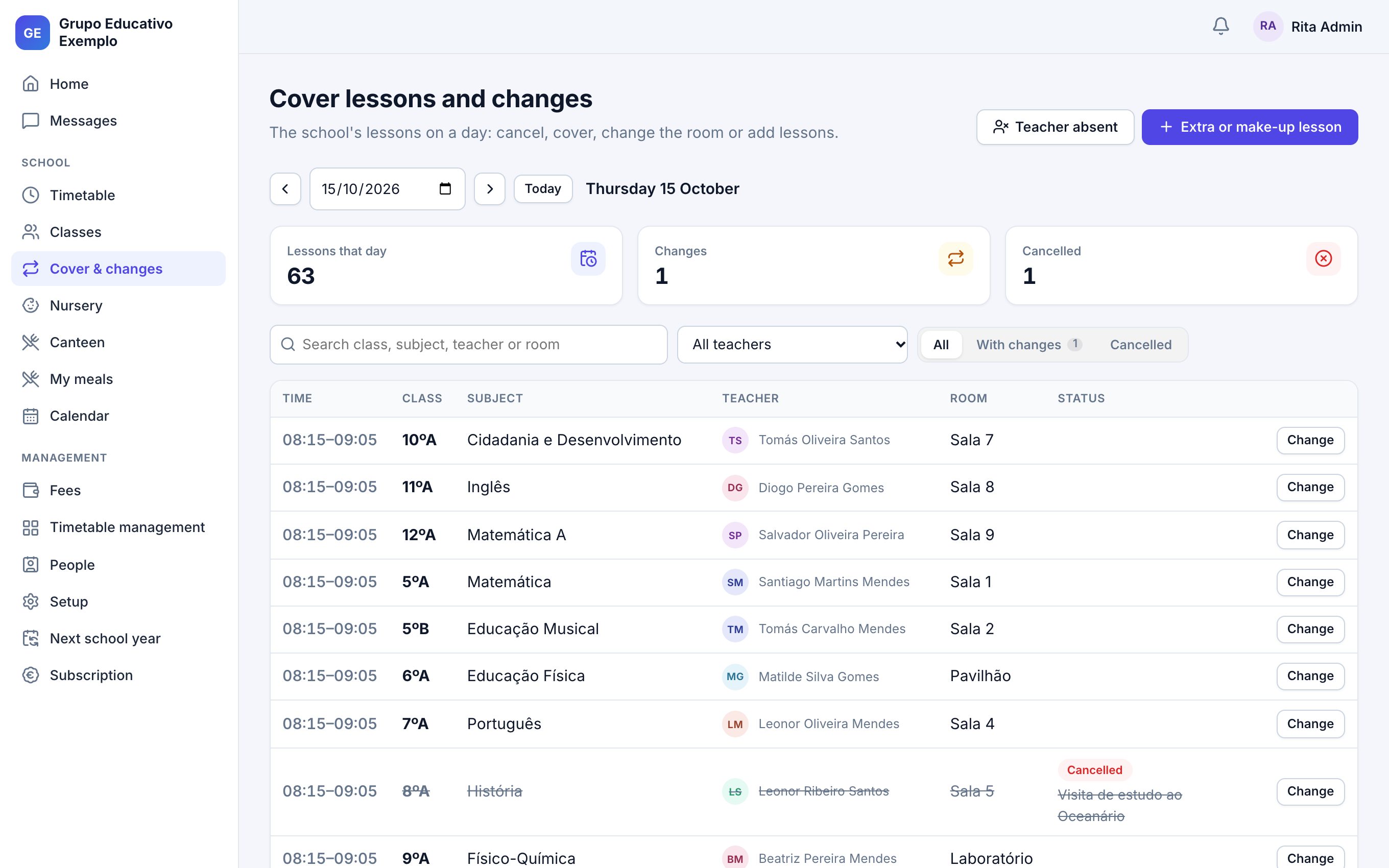
Timetables by class, teacher and room, with clashes found before publishing. When someone is away, free teachers are suggested and the cover teacher is told; if the lesson is cancelled, so are the families.
School management for private schools, nurseries and school groups
Timetables, registers and absences, assessment, fees, the canteen, messages and the nursery's day, for the leadership, teachers and families. In Portuguese and English, on computer and phone.
Features
Each person sees only what concerns them, with permissions by school, level and class.
Timetables by class, teacher and room, with clashes found before publishing. When someone is away, free teachers are suggested and the cover teacher is told; if the lesson is cancelled, so are the families.
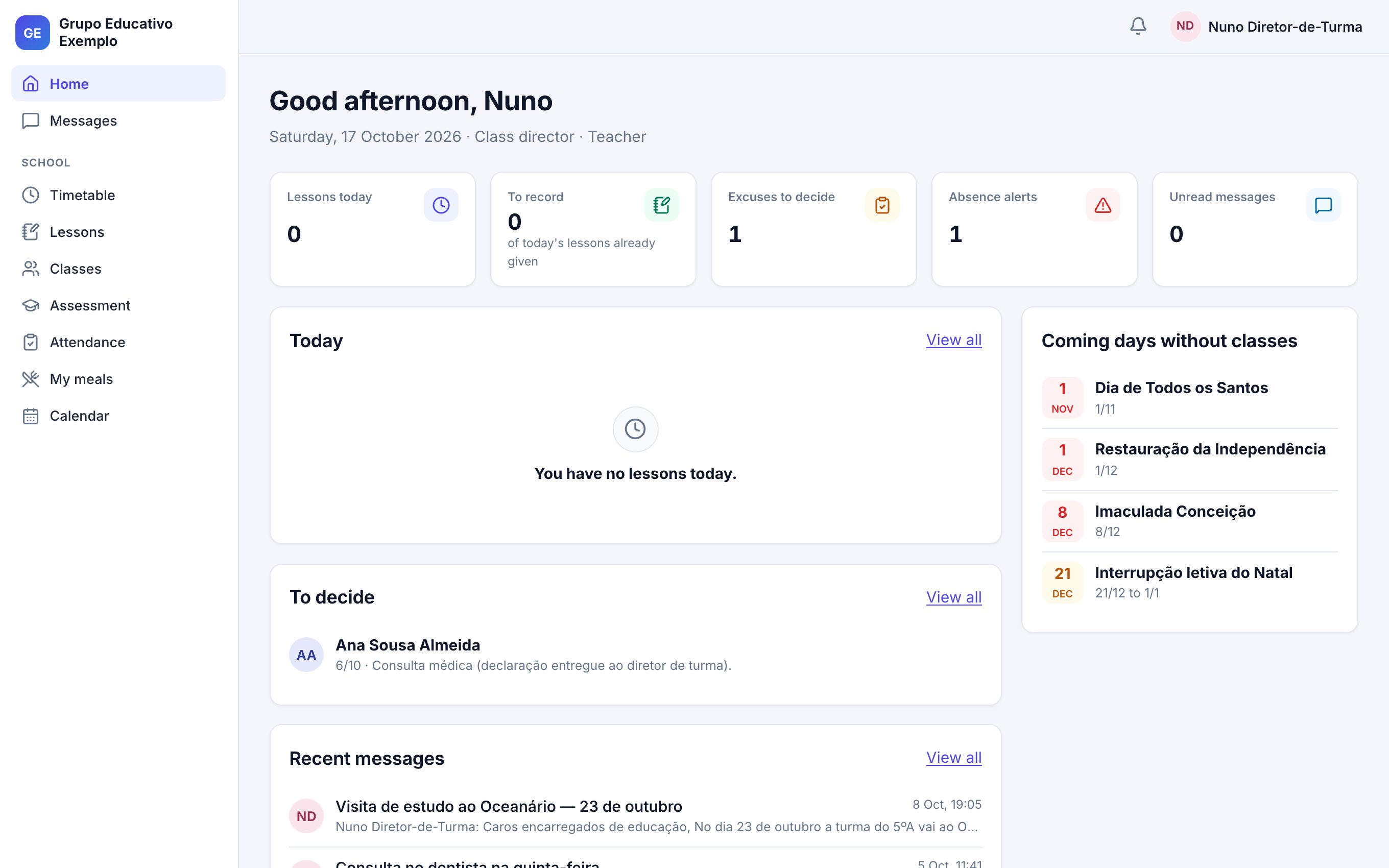
Teachers record the lesson summary and absences on one screen. Families excuse absences online and the class director decides.
Unexcused absence limits are tracked: the class director and the family are told at half the limit and when it is exceeded.
Term grades, class councils, grade sheets as PDF and publishing to families once the term is closed.
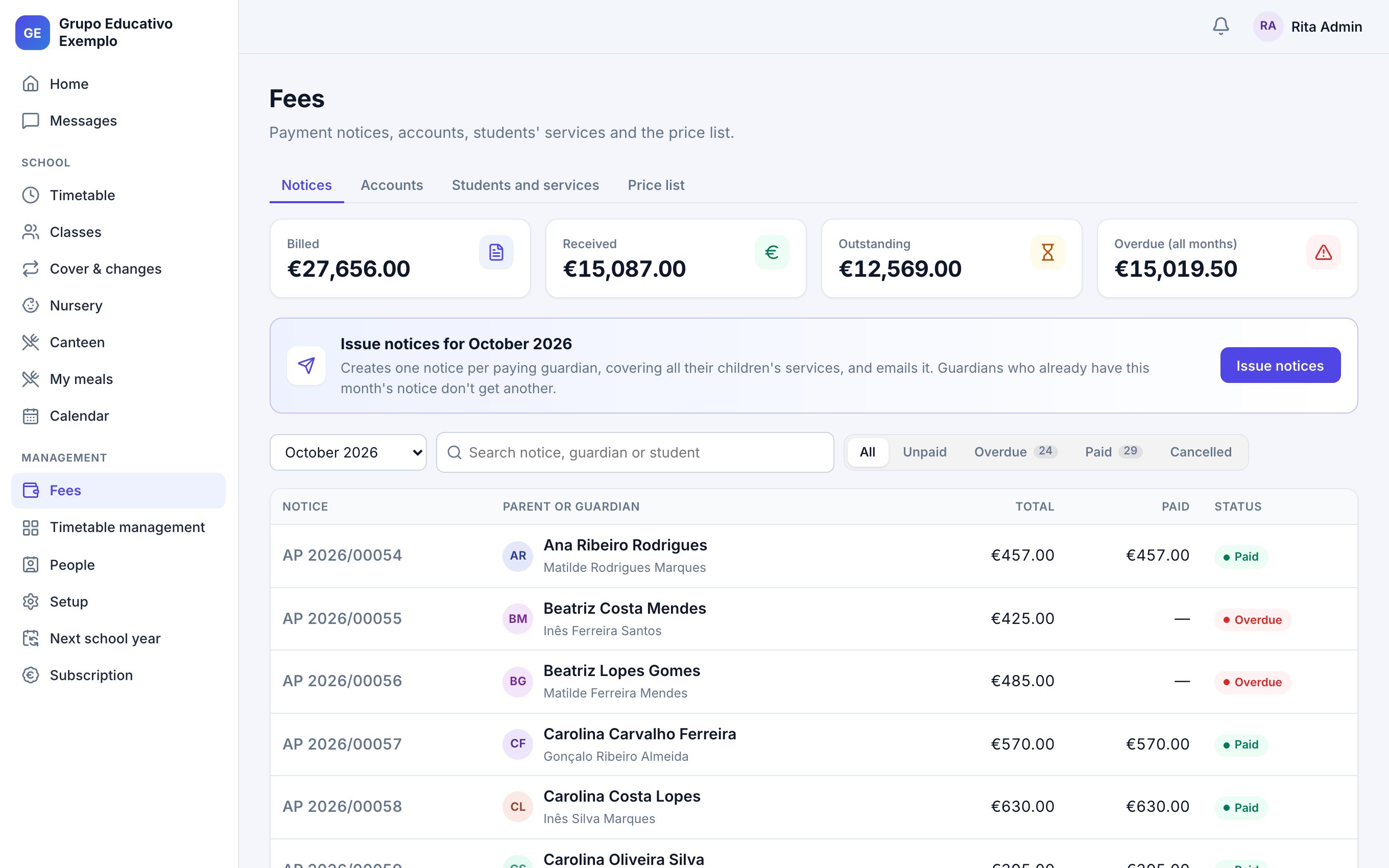
Price list, monthly payment notices with sibling discounts, payments and account balances. Families download their notices.
Announcements to whole classes and conversations with families, with attachments and who has read them.
Study visits and events authorised by families in the app, with a reminder the day before the deadline. Any cost goes on the next payment notice.
The official calendar filled in for you, with public holidays and breaks. Timetables and lessons follow it.
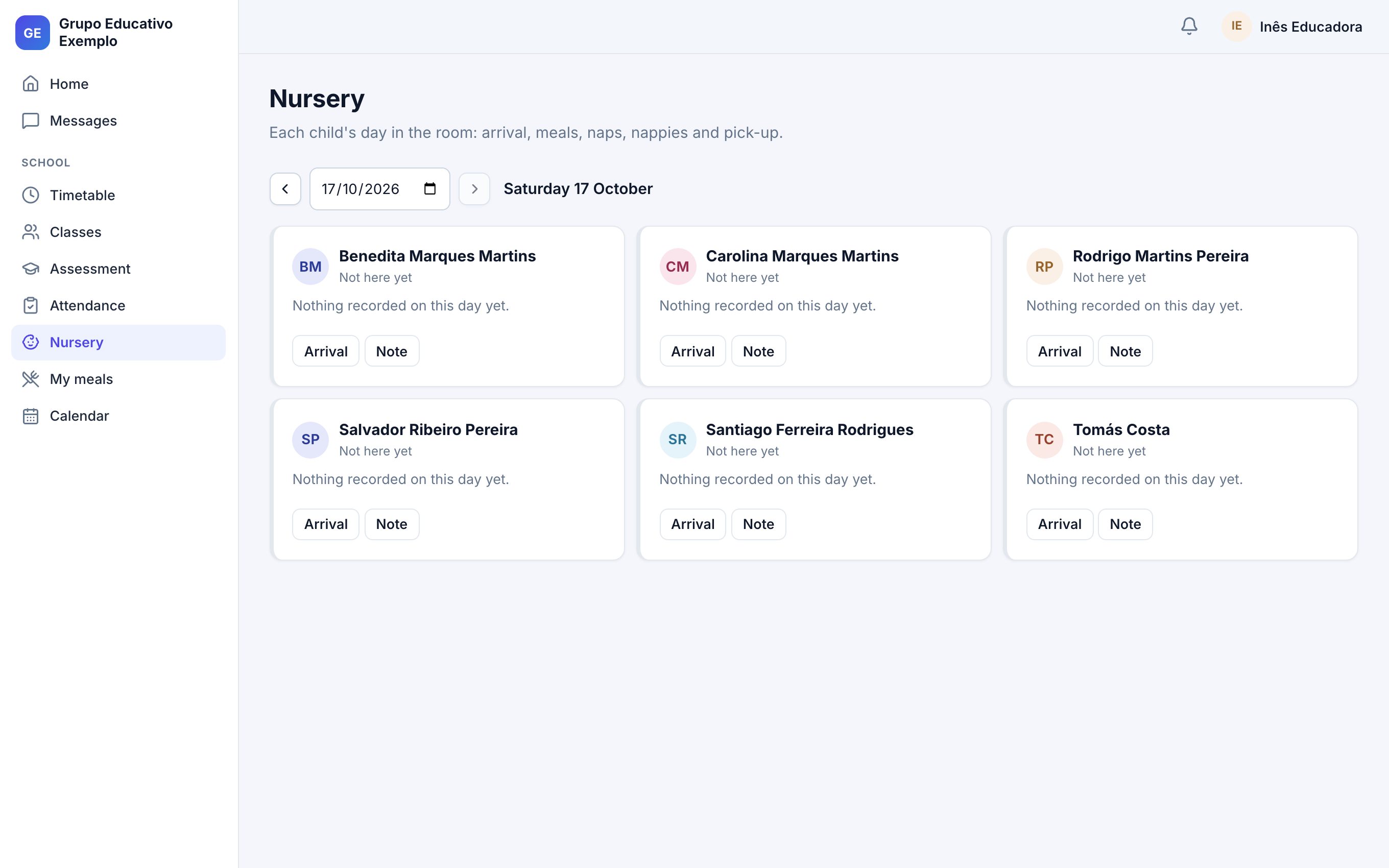
Each child's arrival and pick-up, meals, naps, nappies and medicine, with a summary of the day for the family.
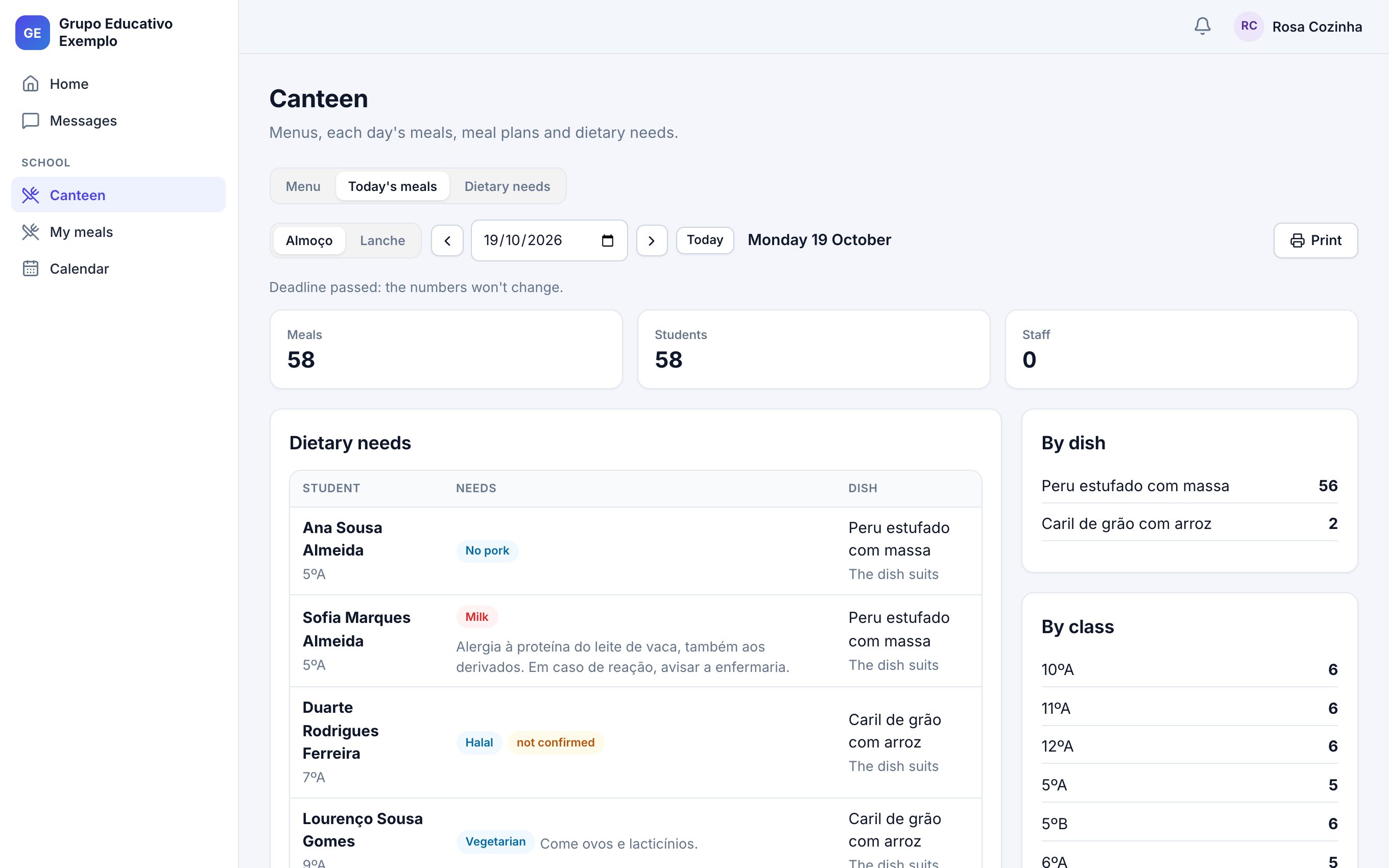
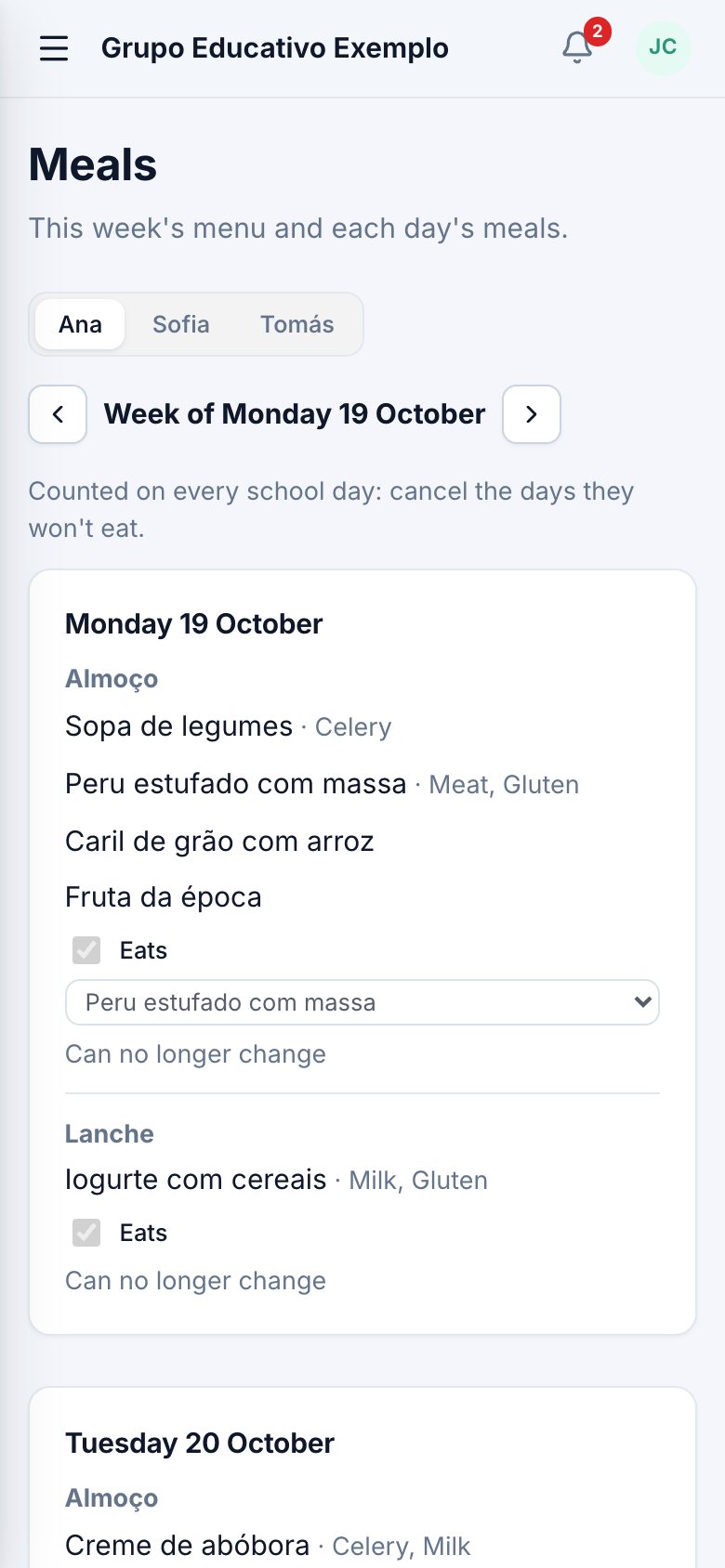
Menus with each dish's allergens. Families book meals and give allergies and diets; the kitchen sees who needs a different plate.
Class councils' end-of-year decisions, re-enrolment answered by families and the next year prepared with students in their new classes.
Email invitations, spreadsheet imports and two-step verification available to every account.
For teachers
Today's lessons and those still to record, the absence notes to decide and their class's attendance alerts. One click opens the lesson's register, with the lesson number already worked out.
For the leadership
See the day's lessons, who is away and what is left uncovered in one place. Assign cover, change the room or cancel the lesson: families see the change in the timetable and, if the lesson is cancelled, get an email with the school's note.
For the office and finance
Issue the month's notices at once, with each student's services and discounts, and record payments as they come in. Always know what was received and what is overdue.
For the kitchen
The kitchen sees the day's meals by dish and class, and who has an allergy or a diet, with a warning when the dish doesn't suit them. Families can only choose dishes that suit their child.
Nursery
The nursery teacher and assistants record the room's day on a phone or computer. Everything is optional: each room records what makes sense to it. Families see their child's day and can get a summary by email.
For families
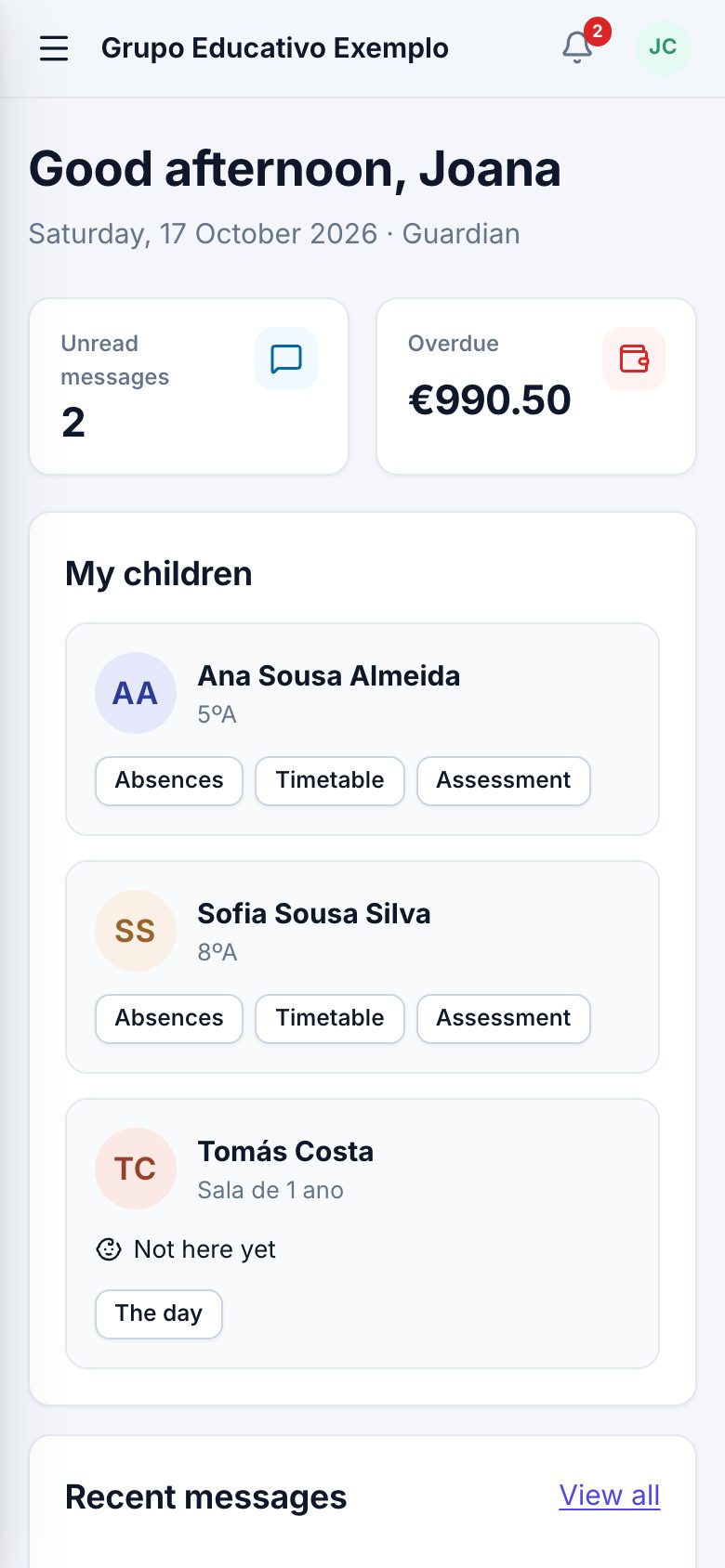
Each child's timetable, absences, lesson summaries, grades, meals, payment notices and messages, with one sign-in for all their children. Nothing to install: it works in the browser.
School dashboard, cover, timetables, calendar, assessment, the canteen and the next school year.
People, invitations and access, fees, payments and account balances.
Absence notes, attendance alerts, class councils and contact with families.
The day's lessons, summaries, absences, grades, cover assignments and permission slips sent to families.
The room's daily record and medicine authorisations.
Timetable, absences, summaries, grades, meals, payments, messages and permission slips.
Get started
Your name, your group's name, your email and a password. Confirm the email and you're in.
Schools, levels, school calendar, bell schedule, subjects and classes, with ready-to-use defaults.
Students, parents and staff from Excel or CSV, checked before importing. Invitations go out in one go.
Build the timetables and the school is running. For 30 days, with everything included.
Pricing
Free · 30 days
Subscription plans are still being defined. You can start now: the trial includes everything.
No. It works in the browser, on computer and phone, for the school and for families.
Yes. Students, parents and staff are imported from spreadsheets (Excel or CSV). Before importing, you see what will be created and what needs fixing.
Both. Each school picks the levels it has, from nursery to upper secondary, and the nursery has its own daily records.
Yes. Several schools sit in one group, with permissions by school, level and class.
Yes. The family gives their child's allergies and diet (no pork, no beef, halal, kosher, vegetarian or vegan) and the school confirms them. Each dish carries its allergens, families only choose dishes that suit, and the kitchen sees who needs a different plate.
No. The school asks for permission in the app, with any questions it needs (for example, whether the student brings lunch), and the parent answers for each child. Those who haven't answered get a reminder the day before the deadline, the answers export to a spreadsheet and, if there is a cost, it goes on the next payment notice.
The class council records each student's end-of-year decision, families confirm re-enrolment in the app, and the school creates the new year with the same classes, each student proposed for their next class, before confirming.
The account becomes read-only: you can see everything, but not make changes.
Each group's data is kept apart in the database, each person sees only what concerns them, and every account can use two-step verification. The class director and the leadership can consult conversations between teachers and families: everyone is told so in each conversation, and every look is logged.
Portuguese and English. Each person picks theirs, and emails to families follow that choice.
Yes. The people and data are fictional, no email is sent and everything is reset every night.
Explore the demo with sample data, or create your school's account now.